Rise Again.
Resurrect
Your Life.
What makes REZ different
REZ is short for resurrection: a fresh start for how you eat, train, and feel. It puts nutrition, supplements, and workouts in one app. Build your own Focus dashboard, quick log anything with a pull-down, see your training on a muscle heat map, and track progress on a calendar. Everything works on your device, with or without an account. Upgrade to Pro for REZ AI food log, unlimited lookups, no ads, and cloud sync.
Rise Again.
Resurrect
Your Life.
What makes REZ different
REZ is short for resurrection: a fresh start for how you eat, train, and feel. Nutrition, supplements, workouts, and a muscle heat map in one app, with or without an account.
DownloadFeatures
Focus Dashboard
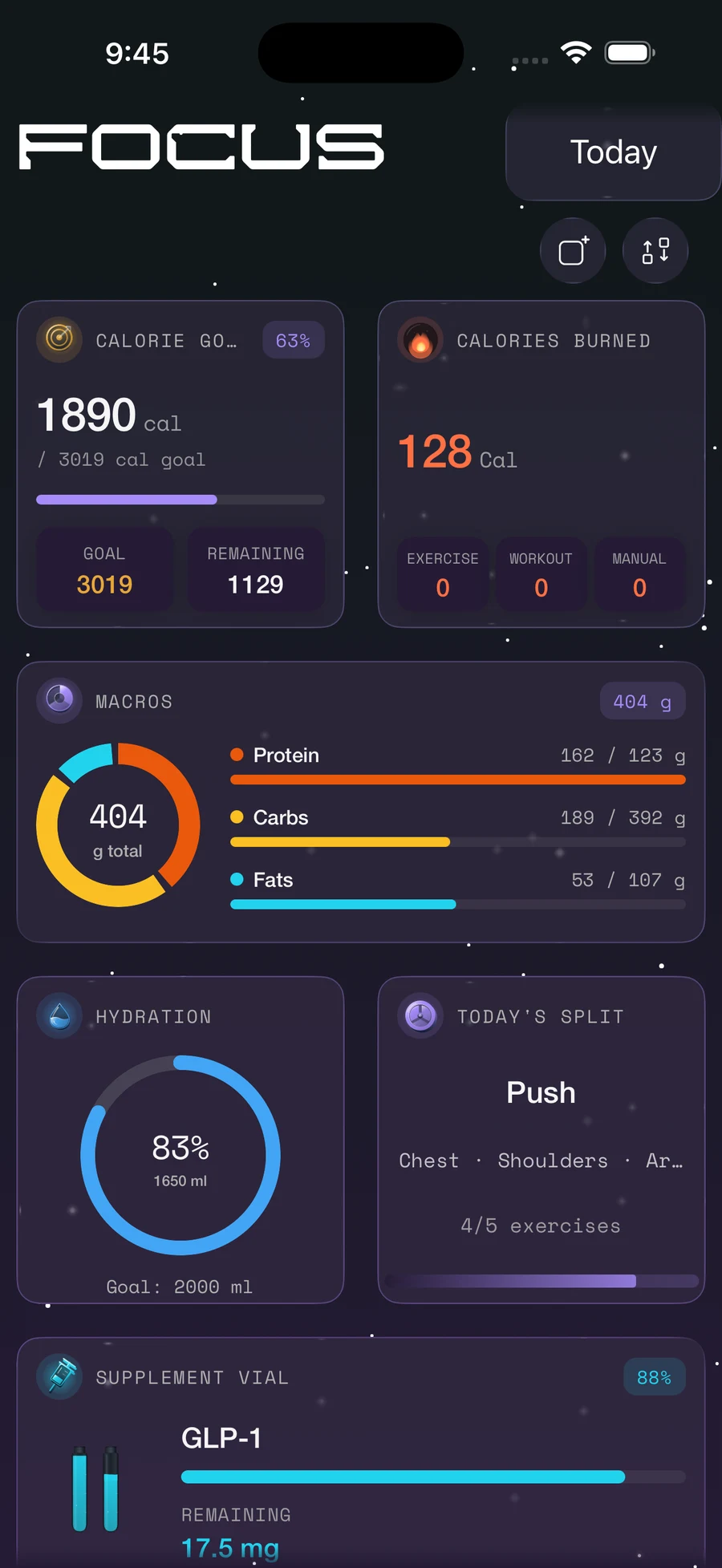
Build your own home screen from swappable blocks: calories, macros, water, sleep, supplements, workouts, weight, and streaks.
Pull-Down Quick Log
Pull down from the top of Focus to log food, water, workouts, weight, sleep, or scan a barcode without leaving the dashboard.
REZ AI Food Log
Talk or type what you ate. REZ asks quick follow-up questions, matches real foods, and logs the meal for you. (Pro)
Search, Scan & Restaurants
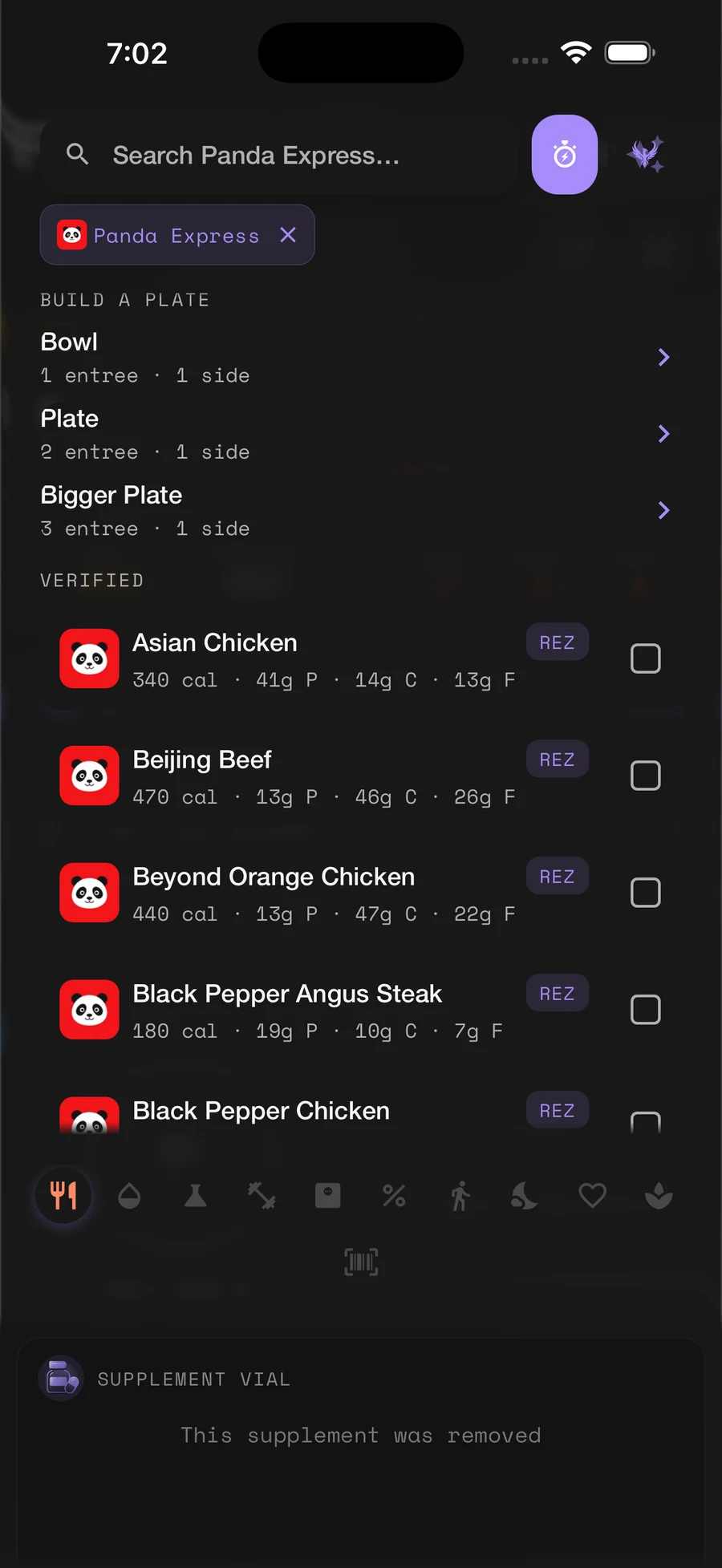
Search the REZ Foods catalog, scan barcodes, build restaurant combo plates, and customize drinks by size and add-ons.
Smart Nutrition Goals
BMR, maintenance calories, and macro targets calculated from your profile, with cut, bulk, or maintain goals.
Supplements & Micros
Schedule supplements on intervals or on/off cycles, check off doses, get reminders, and track the micronutrients you care about.
Allergen Alerts
Set your allergens once and REZ flags matching foods in search, barcode scans, restaurant menus, and your food log.
Splits & Set Logging
Build workout splits, log sets, reps, and weight with a rest timer, plate calculator, supersets, and progressive-overload nudges.
Muscle Heat Map
See which muscles your splits cover and what you trained recently on an interactive 3D body. Tap any muscle for details.
Progress & PRs
Track personal records, streaks, body-weight goals, and an optional strength score, with progression charts for every lift.
Widgets & Live Activities
Quick Log, Today, and Water widgets, Lock Screen calories and macros, Live Activity rest timers, and Siri shortcuts on iPhone.
Apple Health & Health Connect
Sync active energy, steps, sleep, heart rate, resting heart rate, and body weight from Apple Health on iPhone or Health Connect on Android.
Focus
Focus is your home screen, built from blocks you choose: calories, macros, water, sleep, workouts, weight, streaks, and charts. Arrange them however you like, and swipe the date to look back at any day.
The pull-down tab is the fastest way to log anything in REZ. Pull down from the top of Focus and a quick log panel drops in with a tile for everything you track, so you can log in a few taps and get back to your day.
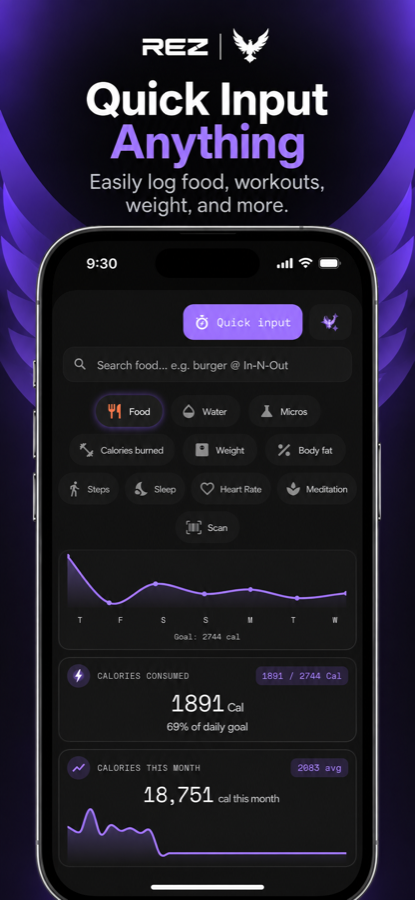
How the pull-down tab works
Pull down
Drag down from the top of Focus. On iPhone the panel opens as soon as you pass the edge, no need to let go.
Pick a tile
Food, Water, Workouts, Weight, Scan, plus a tile for every other tracker you have turned on.
Log it
Enter the amount and submit. Entries land on the day selected in your Focus calendar, and the panel closes itself.
Pull-down tiles
- Food: search, quick input, or REZ AI
- Water in ml or fl oz
- Workouts: search, recent, the REZ library, or calories burned
- Weight and body fat %
- Sleep, steps, heart rate, and meditation
- Micronutrients
- Barcode scan
Made to fit you
- Only the trackers you turn on show up as tiles
- Choose whether Food opens in search or quick input
- Log to today or any past day from the calendar
- Home Screen widgets and Siri can jump straight to a tile on iPhone
- Tap outside the panel to close it
Pull down on every tab
- Nutrition: calories left, macros, water +250 / +500, supplements due, quick add, and today’s log
- Type commands like “water 500” or search 90 days of food history
- Workout: today’s split, exercises due, your splits, and tools like the plate calculator and muscle map
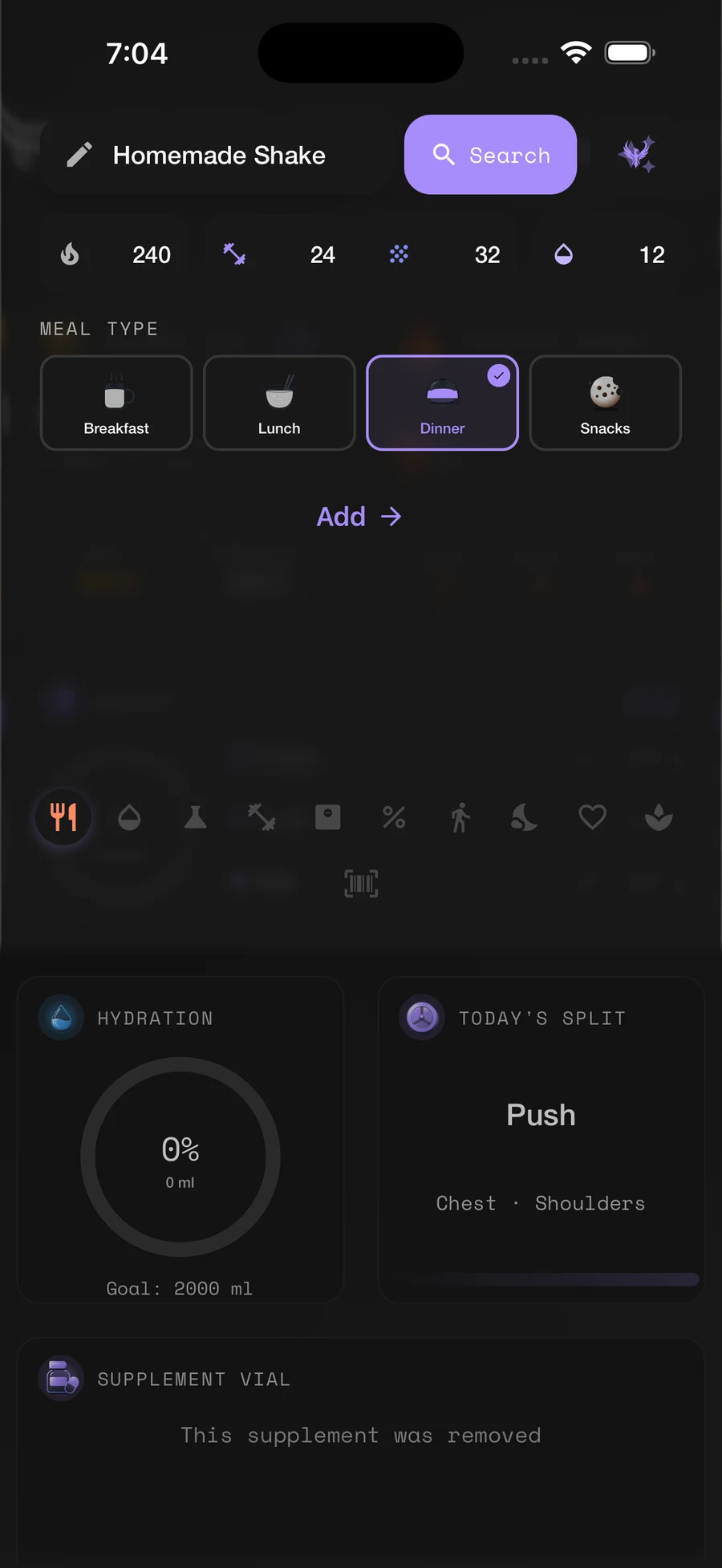
Food Logging
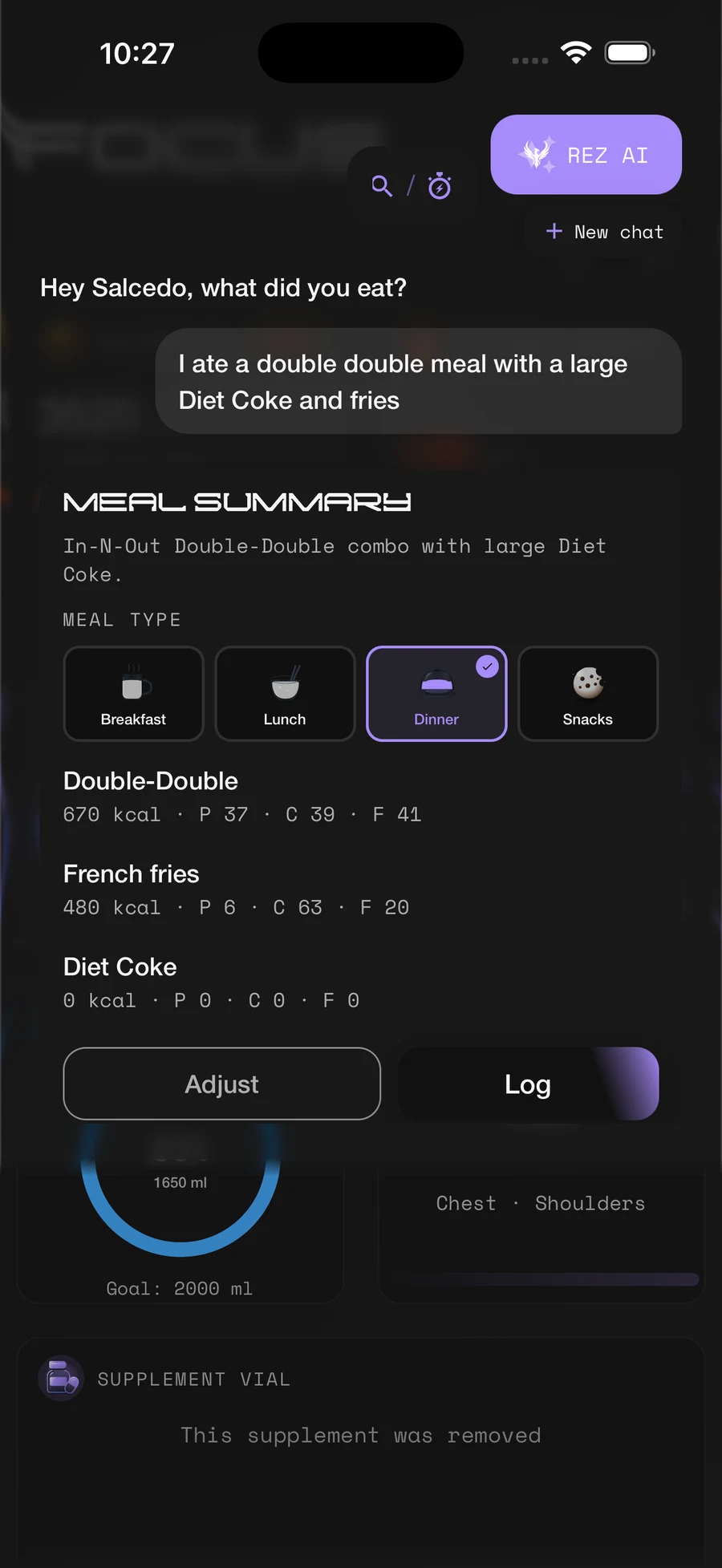
Logging food should take seconds. With REZ AI you just say what you ate, the way you would tell a friend: “two eggs, toast with butter, and a black coffee.” REZ asks a quick follow-up only when it needs one, matches each item to a real food, and builds the meal for you to confirm.
No guesswork and no hunting through search results. Nothing is saved until you tap Log, and every item can be adjusted first. Prefer to do it yourself? Search the catalog, scan a barcode, build a restaurant plate, or reuse your saved meals.
How REZ AI works
Say it or type it
Open REZ AI from the Food tile in the pull-down or the ✨ button on any meal. Talk in English or Spanish, or switch to typing.
Answer a quick question
If something is unclear, REZ asks one short question at a time, like the portion size, combo or single item, or which drink came with it.
Check the match
Each item is matched to a real food from the REZ catalog. Tap Looks good, or Wrong item to fix it.
Review and log
See calories, protein, carbs, and fat, plus salt, sugar, and fiber when known. Adjust anything, pick the meal, and tap Log.
Every other way to log
- REZ Foods catalog with verified foods
- Barcode scanner
- Recent foods and “Log again” from your history
- Saved foods and meal groups
- Pick several foods and log them as one meal
- Quick input for calories and macros by hand
Restaurants
- Search a brand to open its menu
- Build a combo plate the way the restaurant serves it
- Customize drinks by cup size and add-ons
- Filter search by brand, like “cheeseburger @In-N-Out”
Allergen alerts
- Choose from 10 common allergens
- Flags on search results, restaurant menus, scans, and your log
- Free for everyone
Nutrition
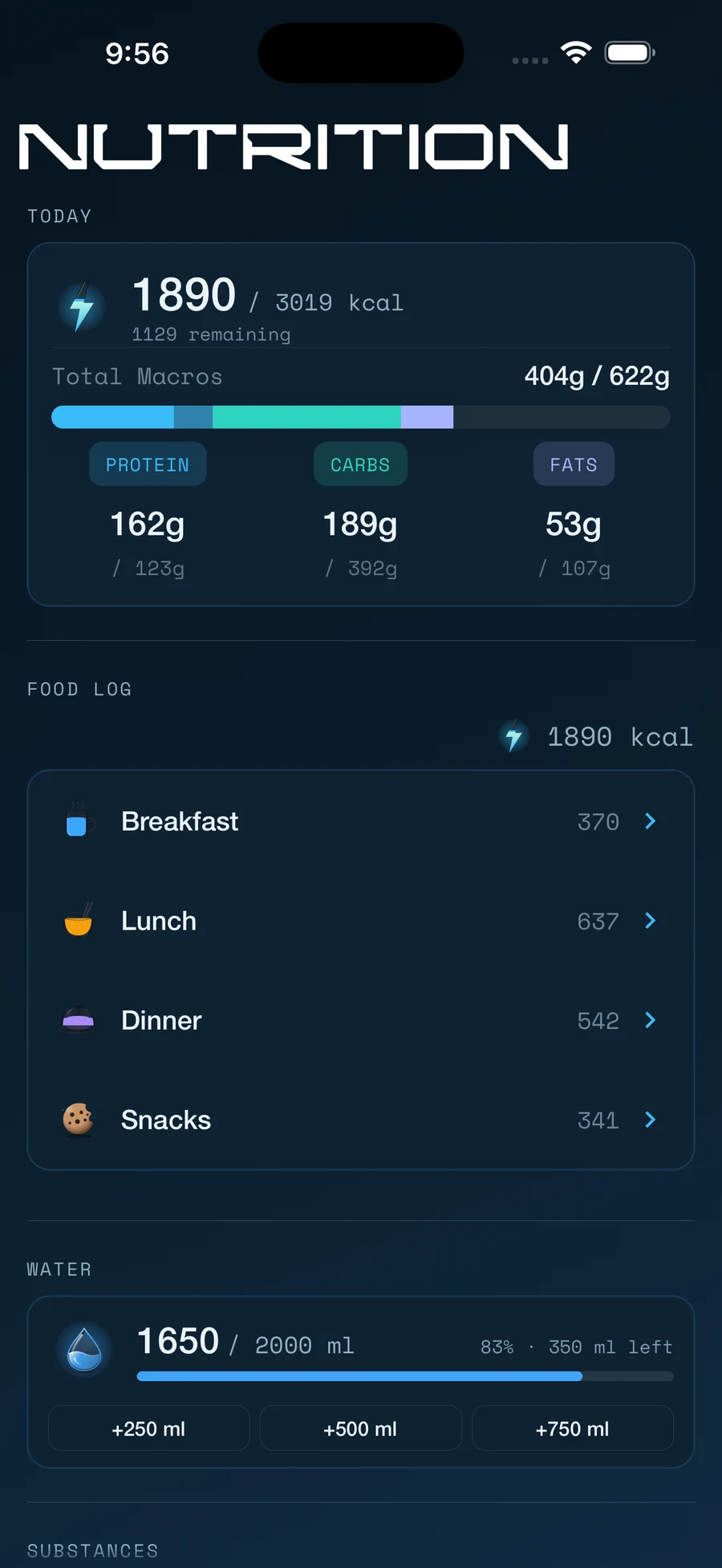
The Nutrition tab is your day at a glance: calories eaten and remaining, protein, carbs, and fat, and a food log split into breakfast, lunch, dinner, and snacks. Tap a food for its full breakdown, hold to edit it, or swipe to delete.
Turn on only the trackers you care about and each one gets its own section: water, supplements, micronutrients, sleep, meditation, and heart rate.
How your goals are set
Your BMR
Calculated from your profile with Mifflin-St Jeor, Harris-Benedict, or Katch-McArdle, or enter your own.
Maintenance
Your BMR multiplied by your activity level, from sedentary to extra active.
Your goal
Cut or bulk by 250 to 1,000 calories a day, or maintain. A custom calorie goal always wins.
Your macros
Protein is set first from your weight and goal, then fat and carbs fill the rest. Override any of them.
Micronutrients
- 19 vitamins and minerals to choose from
- Set a minimum or maximum target for each
- Totals from meals, supplements, and manual adds
Water, sleep & more
- Water in ml or fl oz with a daily goal
- Optional morning, afternoon, and evening water targets
- Sleep with a 7-day chart
- Meditation and heart rate
- Apple Health and Health Connect imports
- Meal-time windows you can edit
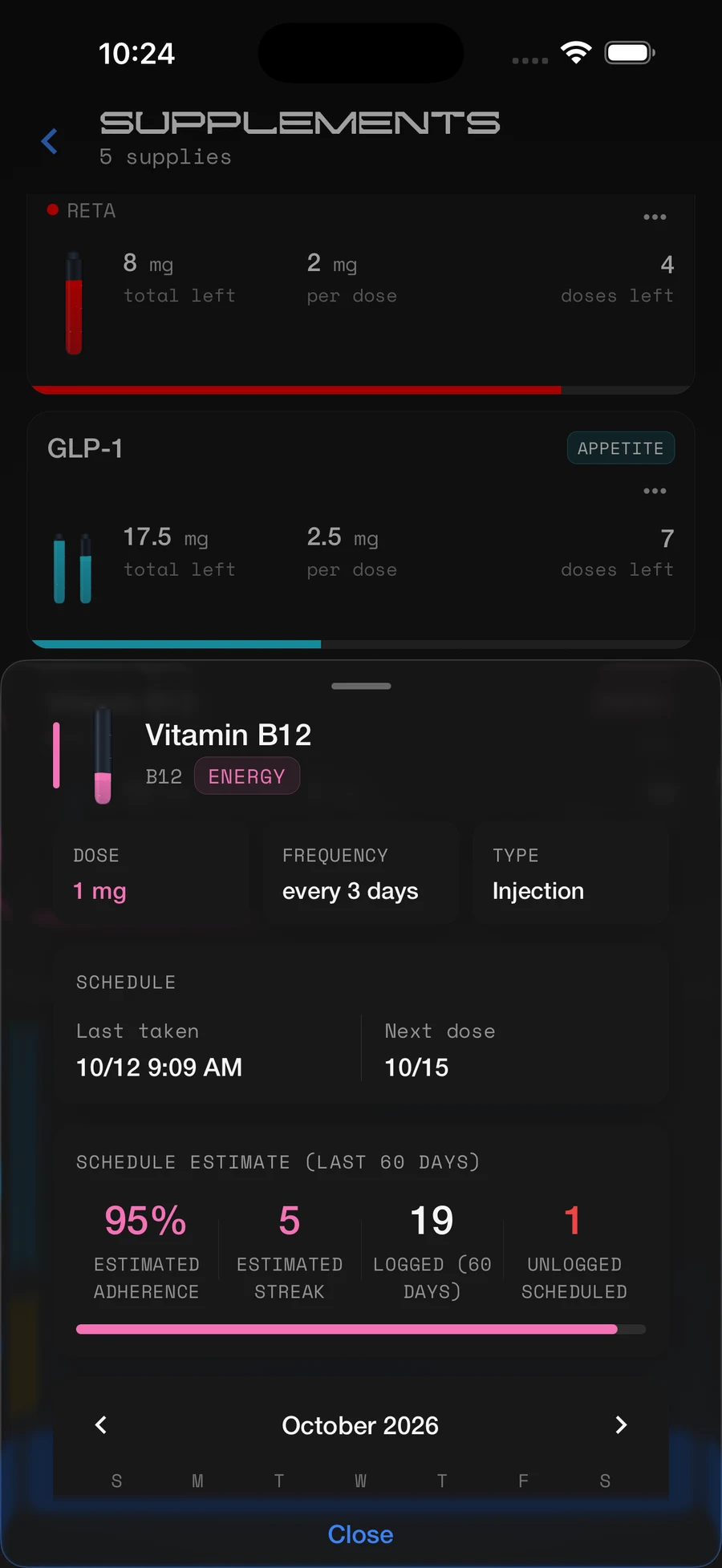
Supplements
Supplements live right inside Nutrition. Add each one once with its dose and schedule, and REZ keeps track of what is due, what you took, and what you missed, whether it is a daily vitamin, a weekly injection, or something you cycle on and off.
Doses due today show up on the Nutrition tab and in its pull-down, so checking one off takes a single tap. Any micronutrients a dose provides count toward your daily targets.
How supplements work
Add it
Name it, pick oral, injection, or topical, and set your dose. Add the micronutrients each dose provides if you want them counted.
Set the schedule
Every few hours or days, on/off cycles with a start date, or as needed, with an optional dose time.
Check it off
Due doses appear on the Nutrition tab and in its pull-down. One tap logs the dose.
Stay consistent
Hold a supplement to see your adherence and streak over the last 60 days, fix past days, and check your inventory.
Schedules
- Interval: every hour up to every 60 days
- On/off cycles: days on, days off, and a start date
- As needed, with no schedule
- Optional fixed dose time
- Missed a dose? Keep the scheduled day or restart from the day you took it
Reminders & inventory
- Reminders before a dose and when it is due
- Works without an account
- Track vials or pens and doses left
- Low inventory flag before you run out
Insights
- Estimated adherence and streak over 60 days
- Calendar of logged doses
- Micronutrients from doses count toward your targets
- Pro syncs your schedules across devices
Analytics
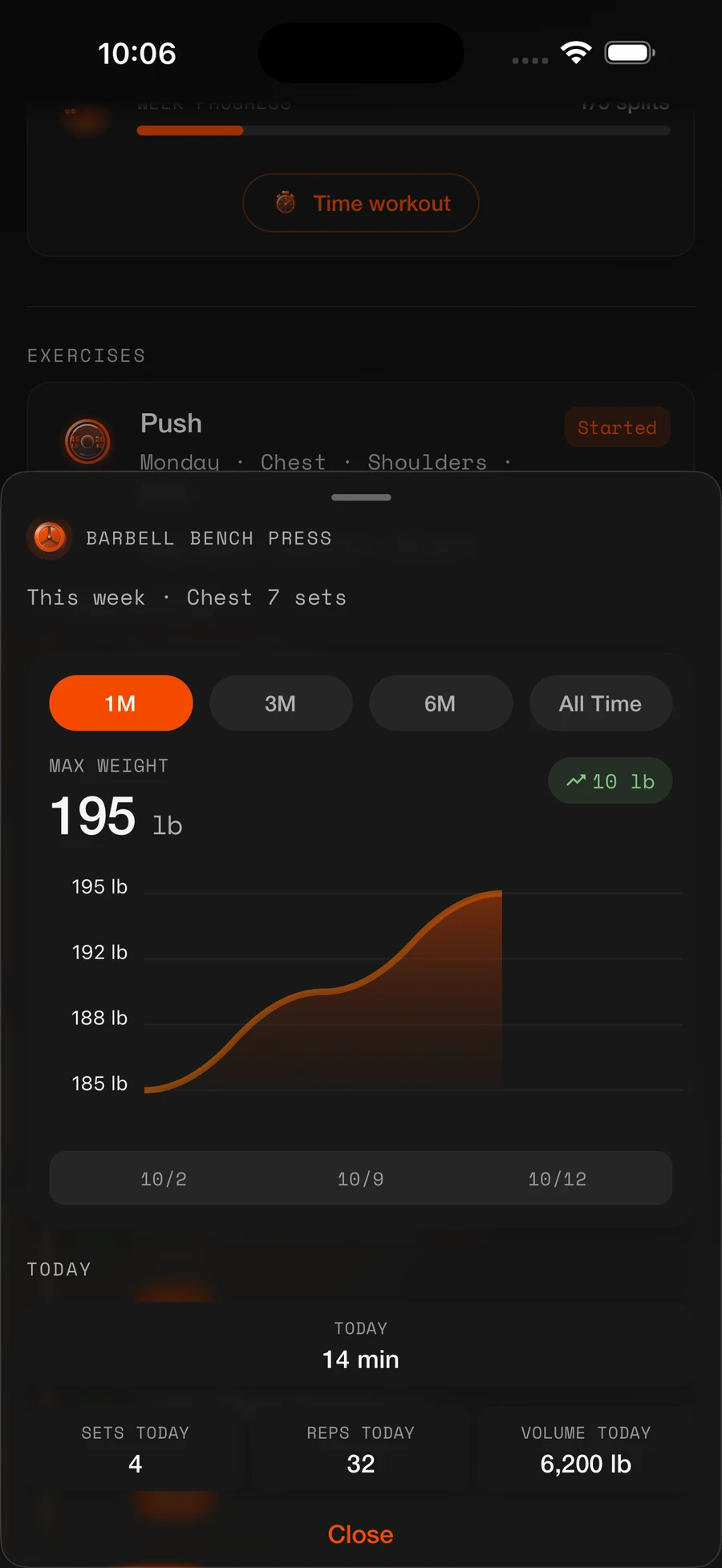
Every number in REZ has more behind it. Press and hold a card on Focus, Nutrition, or Workout to open its analytics: averages, trends, streaks, and history, right where you are.
Add chart blocks to Focus to keep your trends on your home screen, and use the calendar to see at a glance which days you hit your goals. Analytics are free for everyone.
How it works
Press and hold
Hold any card, like calories, water, sleep, weight, a supplement, or an exercise.
Pick a range
Switch between today, this week, and this month, or 1M, 3M, 6M, and all time for lifts.
Dig in
Hold and drag on a chart to read exact values, or tap a day in the calendar for its full summary.
Nutrition
- Calories and macros for today, the week, and the month
- 7-day averages for water, sleep, steps, and heart rate
- Supplement adherence and streaks
- Logging streak and goal progress
Body
- Weight history with 7-day, 30-day, and since-start change
- Weight and body-fat trend charts
- Body fat, lean mass, and fat mass
Workout
- Estimated 1RM, best weight, and volume for every lift
- Weight progression charts
- Calories burned by source
- Workout history for 7 days, 14 days, or all time
Calendar
- Green days when you hit your calorie or protein goal
- Day summary: eaten, burned, net, macros, water, sleep, and workout
- 6 months on your device, unlimited with Pro
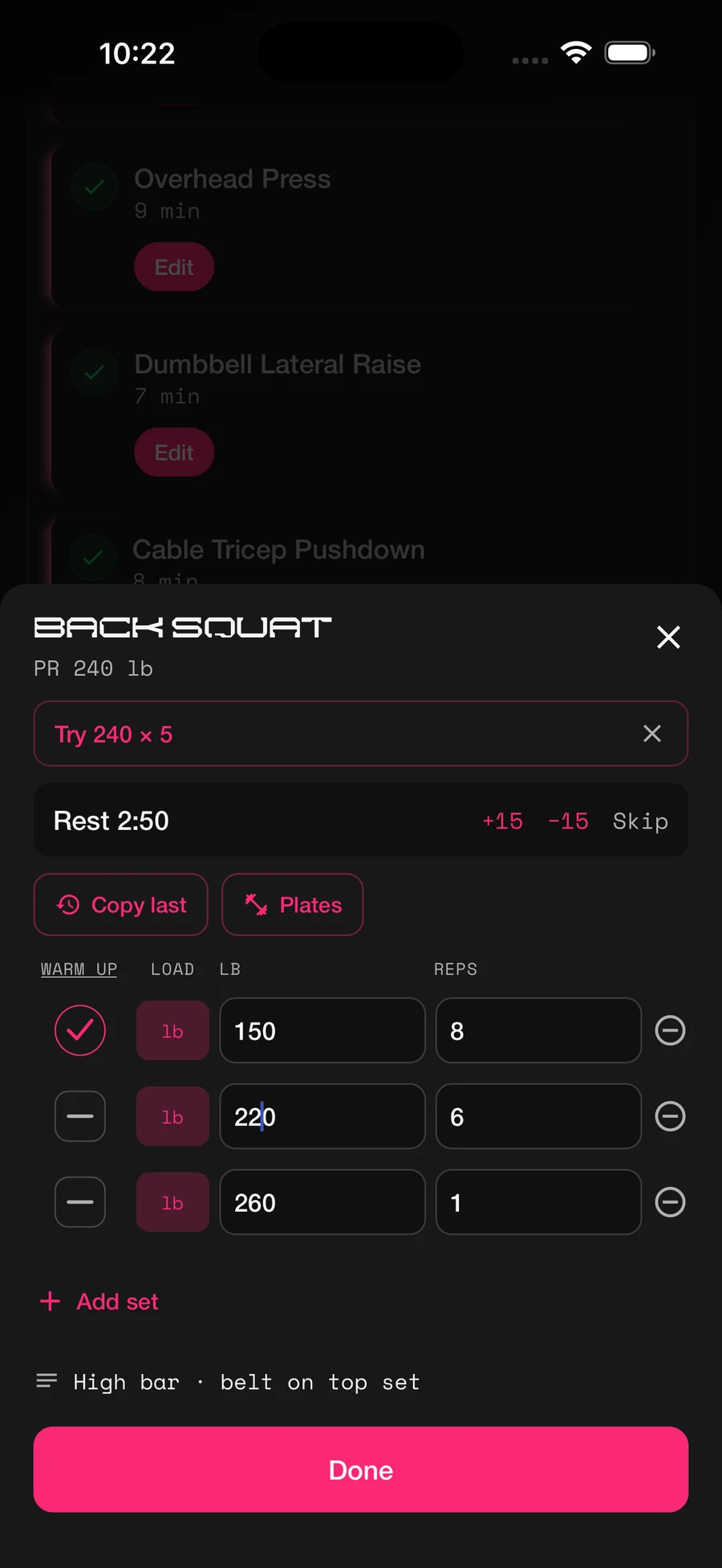
Workout
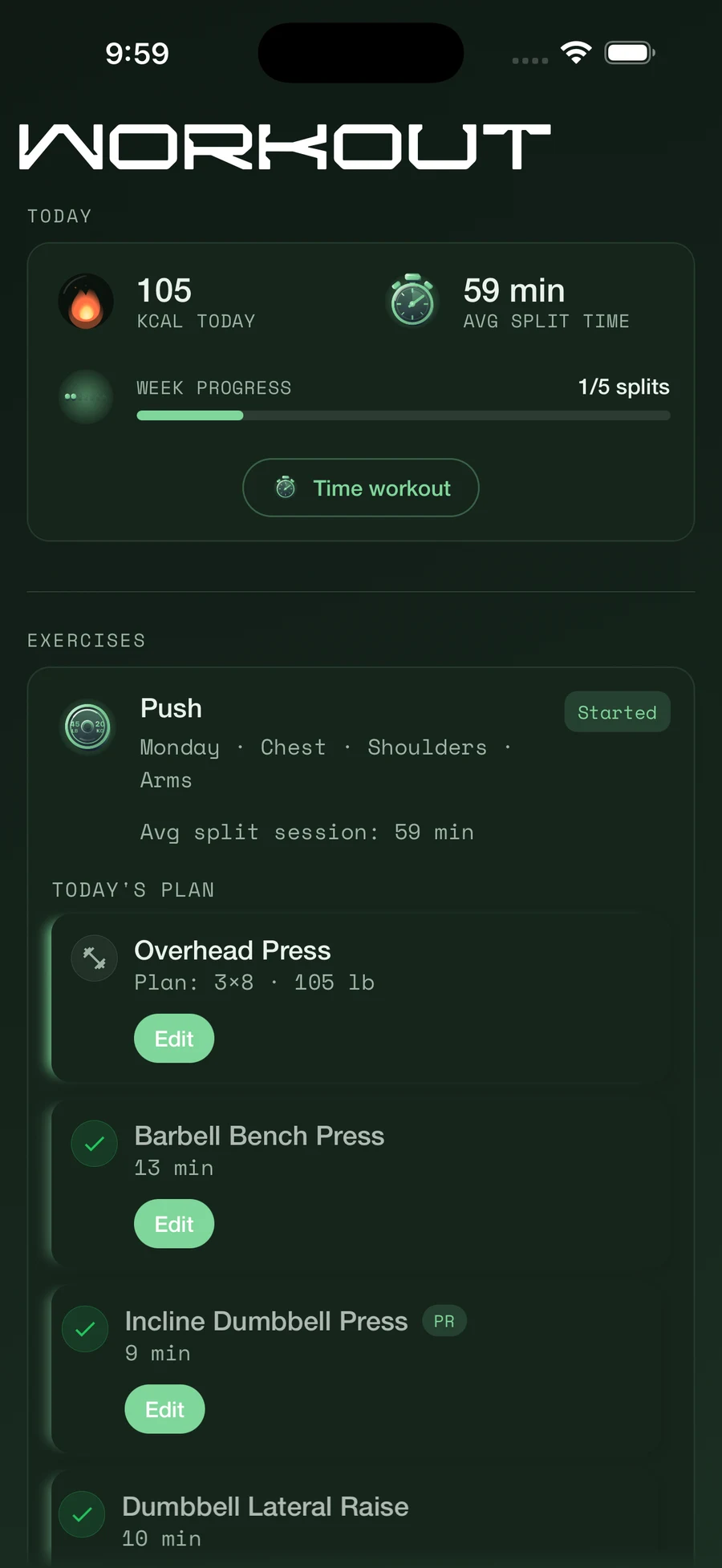
Build your training around splits: named groups of exercises like Push, Pull, or Legs. Pick exercises from the REZ catalog or create your own, tag the muscles they work, and REZ shows you what is due each day.
Every exercise has its own tracking type, so logging fits the movement: sets and reps for lifts, a countdown or stopwatch for timed work, or a single tap for anything you just need to check off.
How a workout goes
Open today’s split
The Workout tab shows what is due today, with last session’s numbers ready to beat.
Log your sets
Enter reps and weight, or tap Copy last. A rest timer starts between sets.
Take the nudge
REZ suggests your next set: more weight when you hit your reps, or one more rep when you don’t.
Finish strong
Complete the session to save it, see your new PRs, and keep your streak going.
Split types
- Weekly schedule: drag splits onto weekdays, open days are rest days
- Rotation: splits run in order, with rest days wherever you place them
- Stack two splits on one day, like Push + Pull
- Swap today’s split or skip an exercise just for today
- Supersets and combos that group several movements
Tracking types
- Sets & reps
- Countdown: finish before it hits zero
- Stopwatch, with optional extra weight like a vest
- Just mark done: one tap repeats your last session
Set options
- Warm-up sets that don’t count toward PRs
- Load types: total, per side, body weight, assisted, or added load
- Optional RPE from 6 to 10
- Notes on each exercise, like seat height
- Plate calculator that fills in the weight
Progress
- PR alerts for weight, estimated 1RM, and reps
- Workout streak and weekly plan progress
- Body-weight goal and optional strength score
- Calories burned from exercises, workouts, and health apps
Heat Map
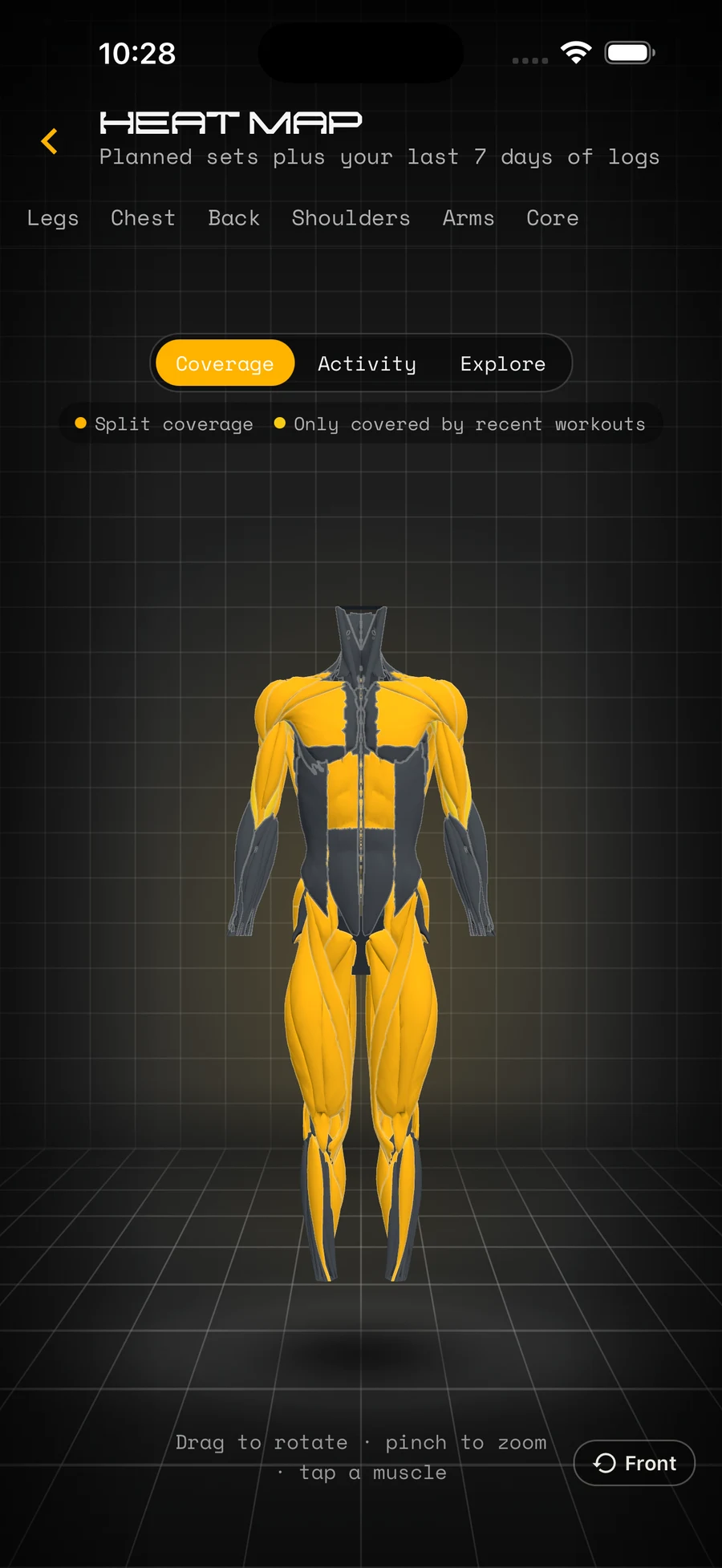
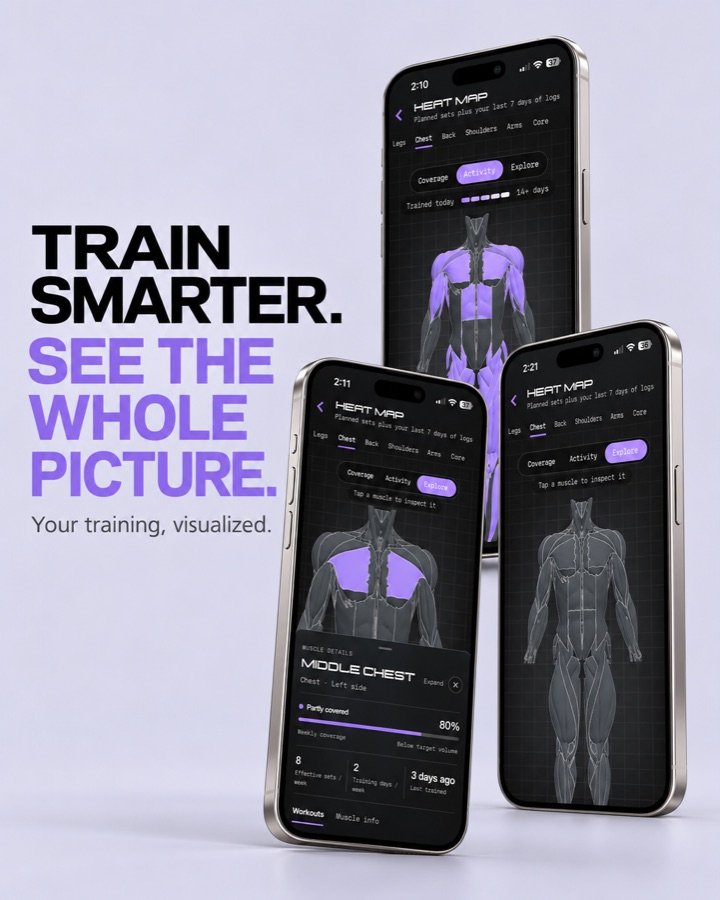
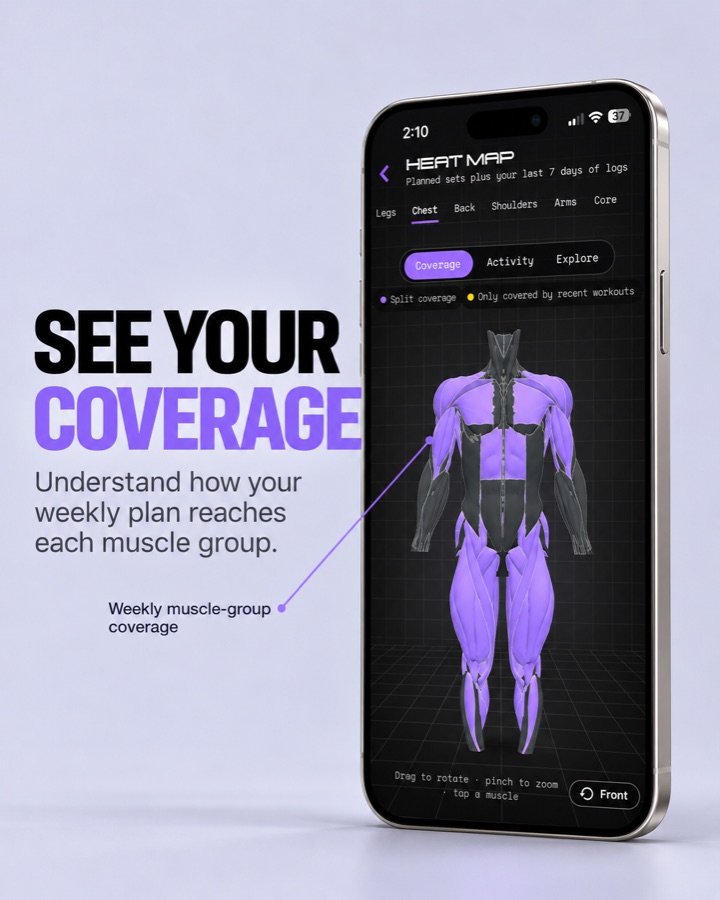
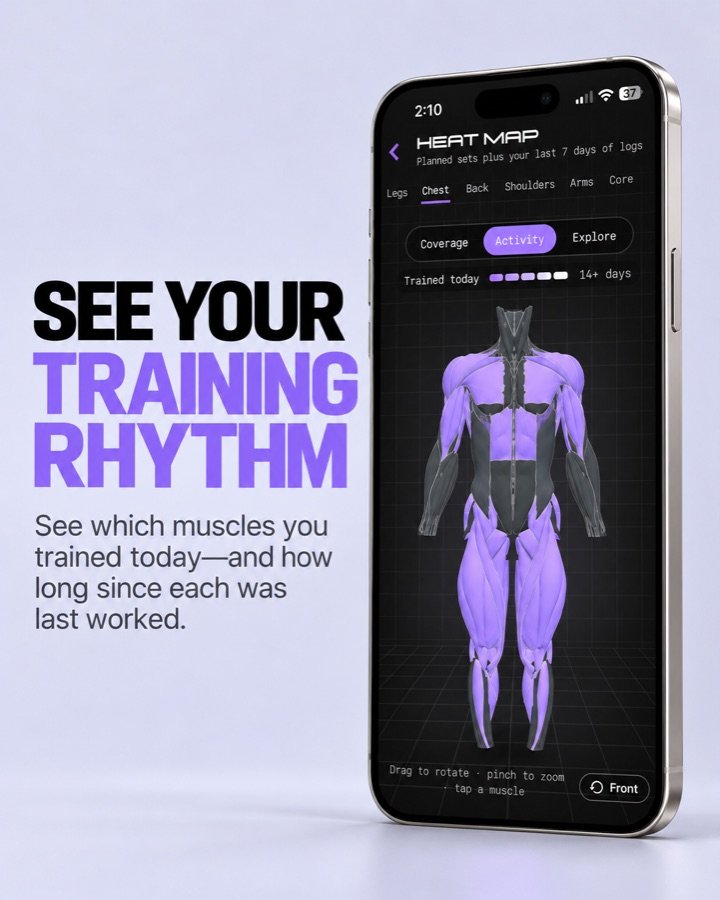
See your training on an interactive 3D body. REZ reads your splits and the last 7 days of workouts and colors every muscle, so it’s easy to spot what you train often and what you skip.
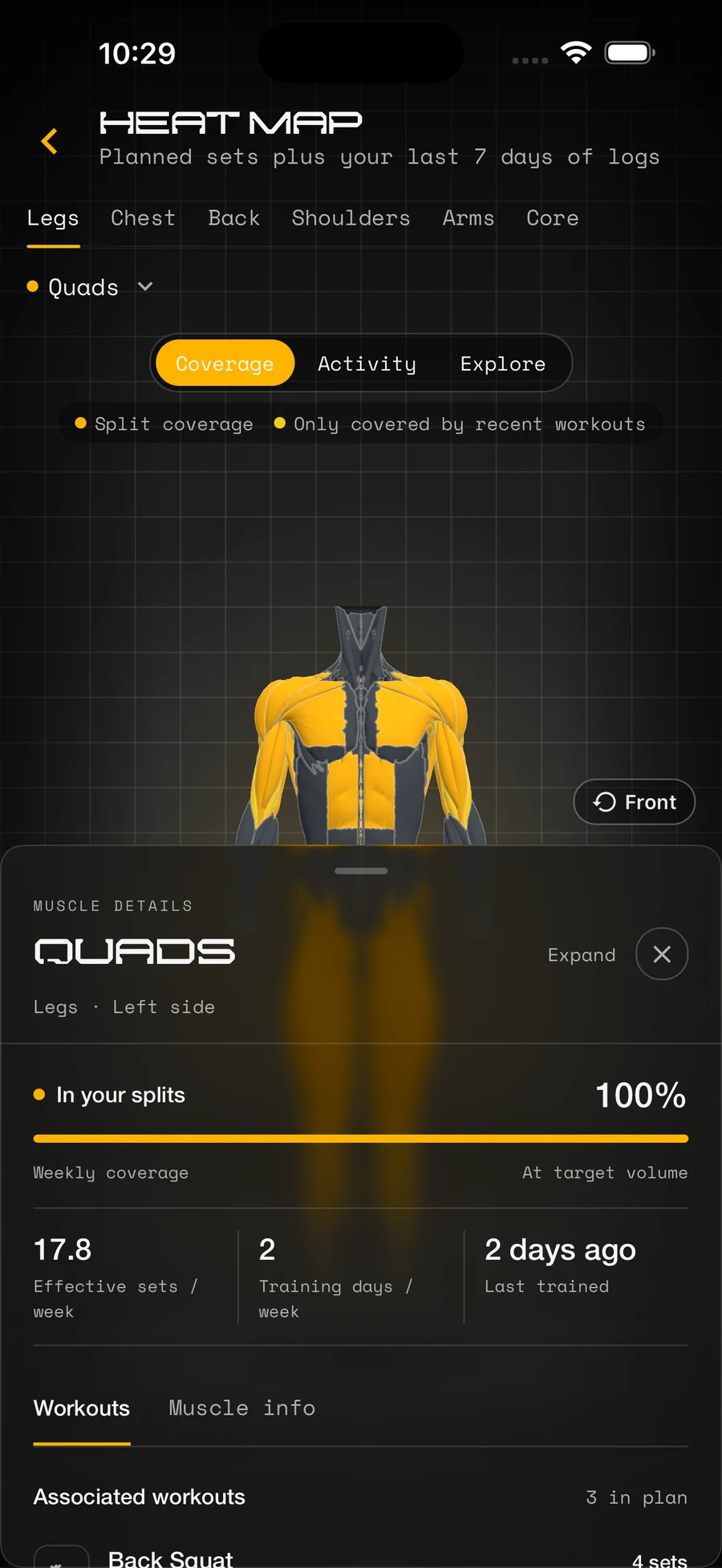
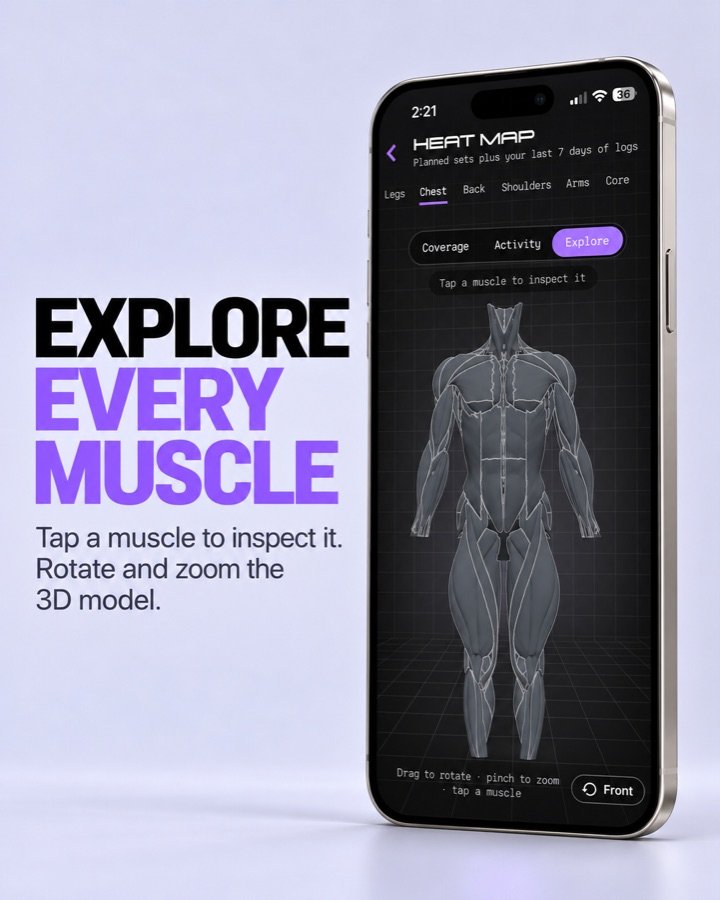
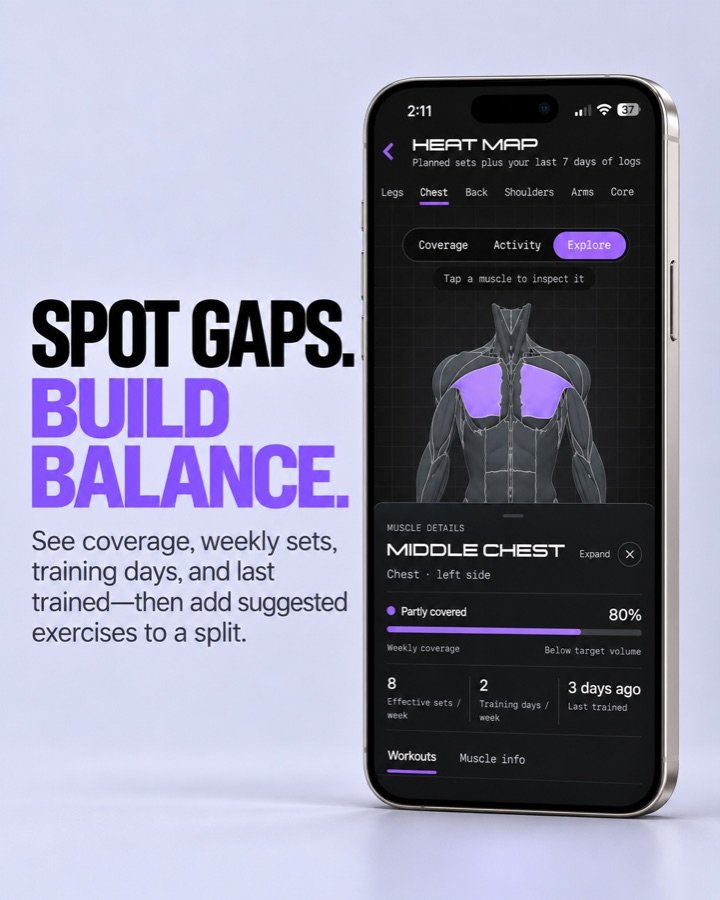
Drag to rotate, pinch to zoom, and tap a muscle for weekly sets, training days, and when you last hit it. Every muscle lists the workouts that train it and suggests exercises you can add to a split in one tap.
- CoverageMuscles your splits train, plus muscles hit only by workouts from the last 7 days.
- ActivityEach muscle fades from bright to neutral over 14 days since you last trained it.
- ExploreA clean body to tap, rotate, and inspect any muscle.
How the heat map works
Tag your exercises
Every exercise belongs to a muscle group, and you can tag the specific muscles it works too.
REZ adds it up
Planned sets from your splits count at half weight and sets logged in the last 7 days count fully. Warm-ups are left out.
The body lights up
10 effective sets a week means a muscle is well covered. Fewer is partly covered, and none is not targeted.
Fill the gaps
Tap a muscle to see what trains it, then add a suggested exercise to a split in one tap.
Muscle details
- Effective sets per week, training days, and last trained
- Weekly coverage percentage
- Every workout that trains it, marked primary or secondary
- Suggested exercises from the REZ library
- A list of muscles nothing in your plan trains
The 3D body
- 36 muscles, with left and right sides tapped separately
- Drag to rotate, pinch to zoom, tap to inspect
- One tap back to the front view
- Free for everyone
Where to find it
- The muscle map on your Progress card
- “Find by muscle” under today’s plan
- Muscle map in the Workout pull-down
- “View split coverage” in your split settings
Widgets
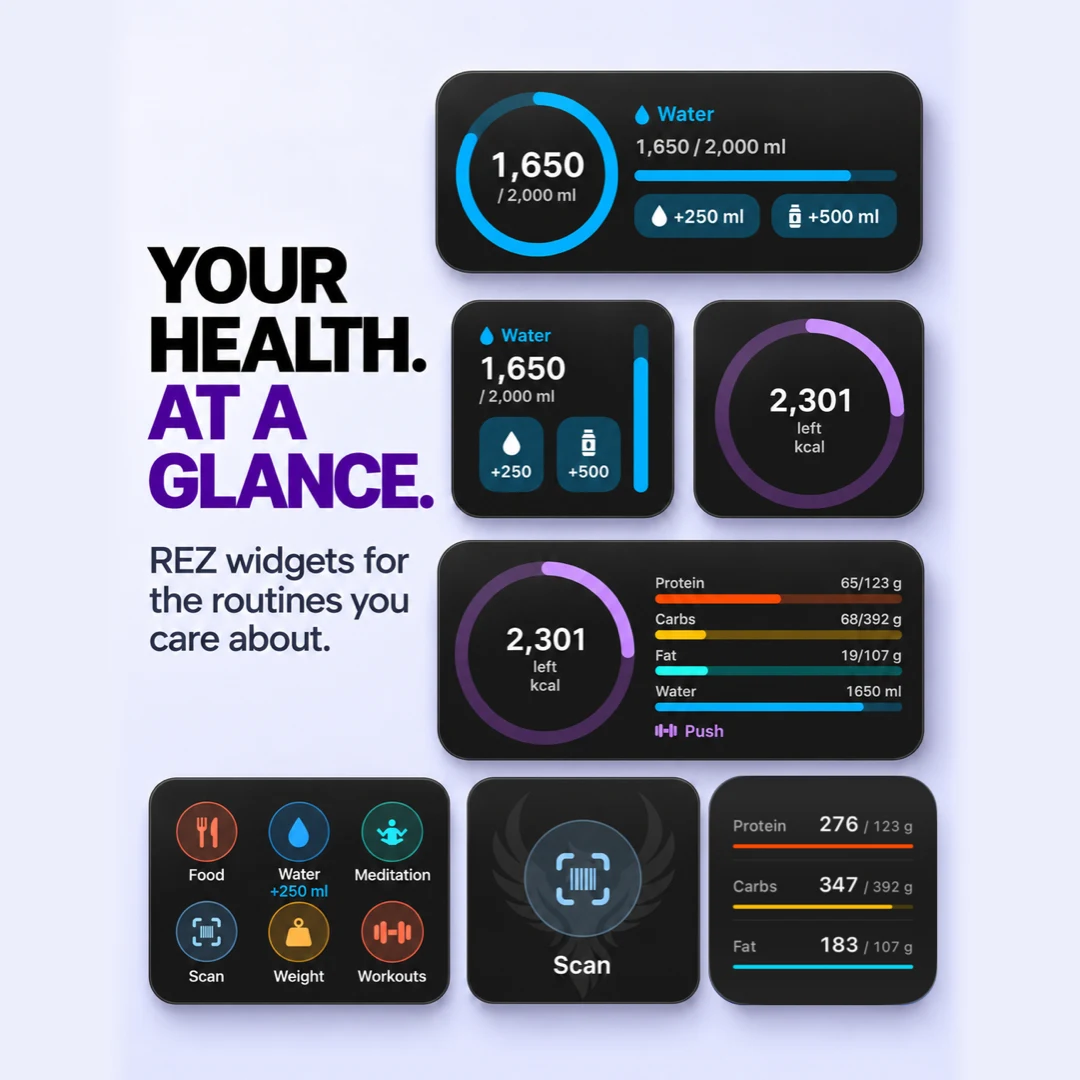
Your day at a glance, without opening the app. REZ puts calories left, macros, water, and today’s split on your Home Screen and Lock Screen, with buttons that log water in one tap.
During a workout, Live Activities keep your rest timer and stopwatch on the Lock Screen and in the Dynamic Island, with buttons to log your next set, start a rest, or finish the session without opening the app. And when your hands are full, just ask Siri.
How to add a widget
Edit your screen
Press and hold an empty spot on your Home Screen or Lock Screen, then tap Edit and Add Widget.
Find REZ
Search for REZ, swipe through the widgets, and pick the size you want.
Make it yours
Press and hold the Quick Log widget and tap Edit Widget to choose its tiles and their order. Leave it empty to show every tracker you use.
Log from anywhere
Water you add from a widget is added to your REZ log the next time you open the app.
Live Activity buttons
- Set: logs your next planned set
- Pause and Resume the workout stopwatch
- Rest: starts your rest timer
- Finish: saves the session
- While resting: add 30 seconds or skip
- The stopwatch keeps running even if REZ closes
Just ask Siri
- “Add a glass of water in REZ”
- “Log water in REZ”
- “Log my weight in REZ”
- “How many calories do I have left in REZ?”
- Scan a Barcode action in the Shortcuts app
Good to know
- Free for everyone, no account needed
- Widgets need iOS 18 or later
- Only the trackers you turn on in REZ show up
- Water shows in your unit, ml or fl oz
- Widgets follow your iPhone’s light or dark appearance
- iPhone only for now

Apple Health Sync
Connect Apple Health once and REZ fills in your day for you. Calories your Apple Watch burned, your steps, sleep, heart rate, and smart-scale weigh-ins show up next to the food and workouts you log, so your calorie budget and analytics reflect your whole day.
You stay in control. REZ only reads the data you allow, never writes to Apple Health, and never replaces numbers you entered yourself.
How to turn it on
Open Add-ons
Go to Settings → Add-ons in REZ, or turn it on during first-time setup.
Turn on Apple Health
Flip the Apple Health switch and choose what REZ can read in the iOS permission screen.
Open REZ
REZ syncs today every time you open the app, and syncs any day you pick on the Workout calendar.
Check it anytime
The Add-ons sheet in Analytics shows today’s Health values next to what REZ has saved, with a Sync into REZ button.
Your numbers come first
- Manual sleep and heart rate are never overwritten
- Body weight only fills days without a weigh-in
- Active energy and steps add to what you log
- Sync buttons in Workout and Analytics if you want it now
Private by design
- Read-only: REZ never writes to Apple Health
- You choose each data type in iOS permissions
- Health data is never used for ads or marketing
- Turn it off anytime in Settings → Add-ons
Good to know
- Free for everyone, no account needed
- Syncs while REZ is open, not in the background
- Works with Apple Watch, smart scales, and other Health apps
- On Android, REZ syncs the same data (except sound levels) from Health Connect
Customization
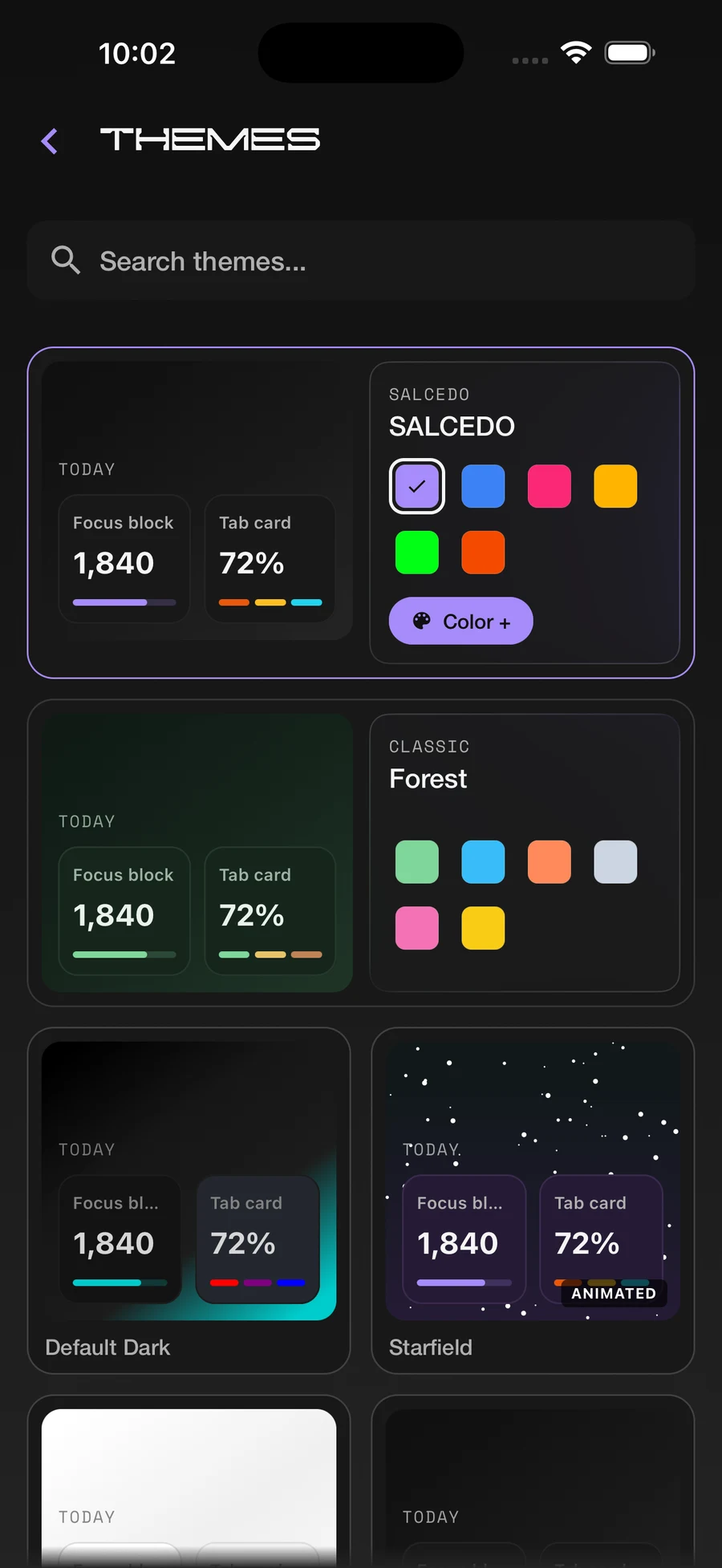
Make REZ feel like yours. Choose a theme, fine-tune the color palette, and pick glass, shadow, border, and corner styles. Set a gradient, solid, photo, or pattern background, adjust text size, and arrange your Focus blocks. Use REZ in English or Spanish, set meal-time windows and reminders, and Pro members can pick an alternate Home Screen icon.
Customization
Make REZ feel like yours: themes, colors, glass styles, backgrounds, text size, and your own Focus layout. Available in English and Spanish. Pro members can pick an alternate Home Screen icon.
Pricing
Guest
Start tracking immediately — no account required
- Full nutrition, supplement, and workout tracking on your device
- Muscle heat map, Focus dashboard, themes, and widgets
- Calculated BMR, calorie, and macro goals
- Limited daily food catalog searches and barcode scans
- Calendar history (last 6 months, on device)
- Banner ads after a short grace period
Free
Sign in to unlock your profile and more search
- Everything in Guest
- Profile, demographics, and profile picture
- Focus layout and styles saved to your account
- More daily food catalog searches
- Push notifications
- Upgrade to Pro anytime (App Store on iOS, Google Play on Android)
Pro
Cancel anytime. Billed through the App Store on iOS and Google Play on Android; your local price is shown in the app.
REZ AI, unlimited lookups, no ads, and cloud sync
- Everything in Free
- REZ AI food log — talk or type what you ate
- Unlimited food catalog searches and barcode scans
- No ads
- Sync and restore across devices
- Unlimited calendar history in the cloud
- Workout cloud backup — splits, exercises, sessions, and PRs
- Saved meals, meal groups, and photos backed up
- Search 90 days of food history from the cloud
- Supplement schedules and allergen preferences synced
- Alternate Home Screen app icons
About Us
REZ is a personal health and fitness app: nutrition, supplements, workouts, and progress in one place. We built it to be highly customizable while staying simple enough for everyday use, whether you are just starting out or already deep into your training.
The app works fully on your device without an account. Sign in for a profile and more REZ Foods searches. Pro adds REZ AI food log, unlimited lookups, no ads, cloud sync, and unlimited calendar history, so your logs follow you across phones. Thanks for checking us out. Questions and feedback are always welcome.